
Nhấn vào Menu Tools -> Chọn Options
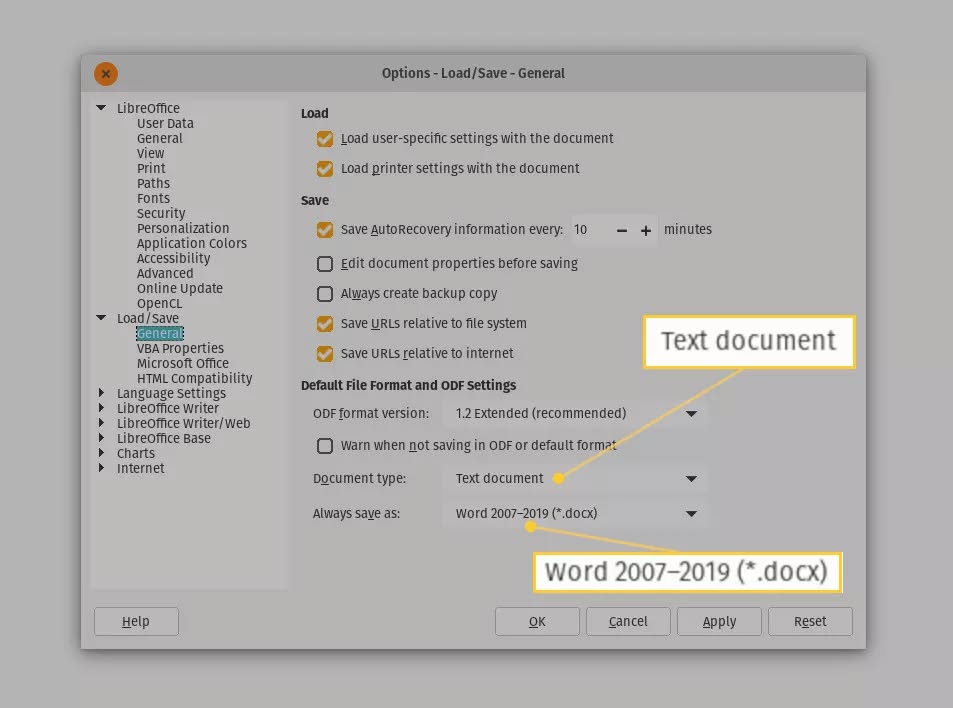
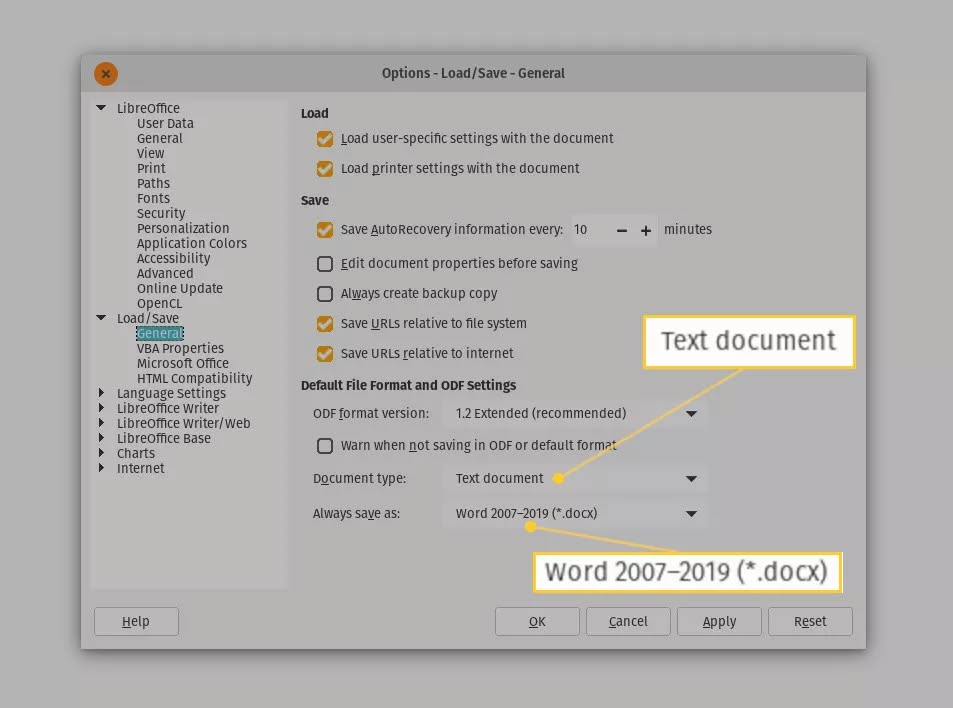
Bấm vào dấu + của mục Load/Save và chọn như sau
 Với Writer/Word
Tìm tùy chọn ODF Text Document và chọn Microsoft Word 2007-2013 XML (để save thành .DOCX)
Nhớ bỏ chọn mục Warn when not saving in ODF or default format
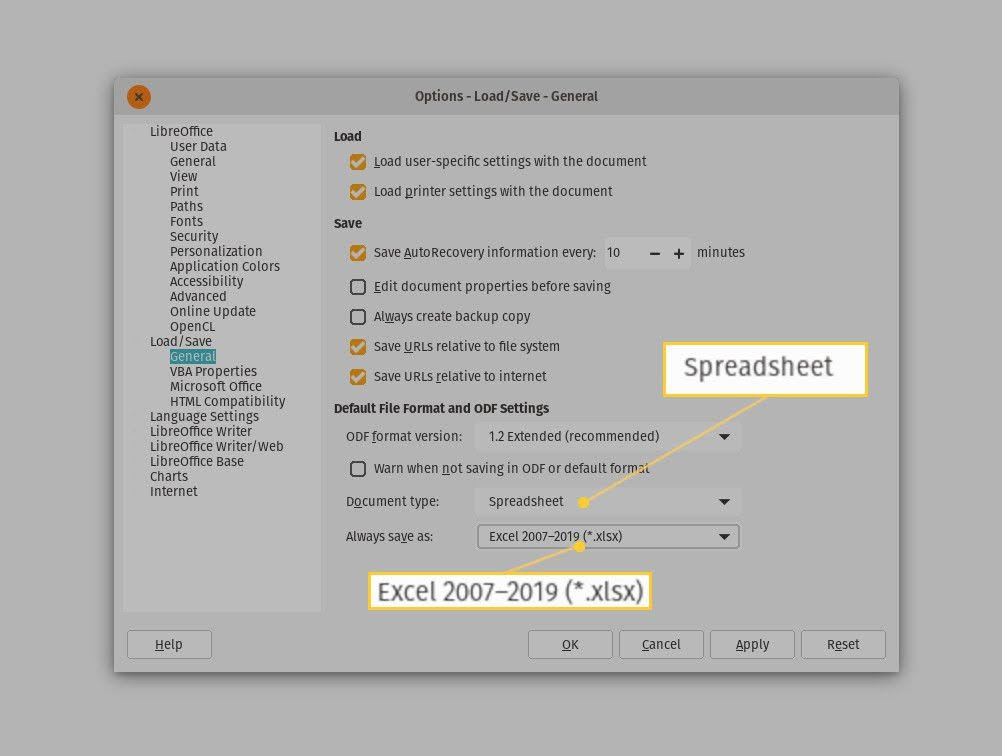
Với Spreadsheet /Excel
Chọn tiếp tùy chọn Spreadsheet và đổi ODF Spreadsheet sang Microsoft Excel 2007-2013 XML (để lưu với xlsx)
Nhớ bỏ chọn mục Warn when not saving in ODF or default format
Với Presentations / PowerPoint
Tương tự chọn Presentations thành PowerPoint compatible files (.pptx/,ppt).
Nhớ bỏ chọn mục Warn when not saving in ODF or default format